GameSpy Arcade Revived
Relive the golden era of early 2000s PC multiplayer, powered by OpenSpy.
⚠ Important Notice
This 'revived' version installs a patched client connecting to the OpenSpy network, but it DOES NOT revive the massive website network that GameSpy Arcade originally relied on. You will see blank/white pages when clicking through various web tabs. This release is strictly focused on restoring core multiplayer functionality: Friend lists, Server browsers, chatrooms, user profiles, and Peer-to-Peer matchmaking.
Installation Guide
- Run the installer executable and install the patched version of GameSpy Arcade to your system.
- Create your new OpenSpy account here: account.openspy.net/login
- Ensure your partner code is set to exactly:
0-GameSpy - After creating your account, click on Manage profiles in the upper left corner and create one. CRITICAL: Make sure the Namespace ID is set to 1.
- Launch the application and log in using your new credentials.
- (Optional) Drag the
full.cfgfile into yourC:\...\*GSA Install Path*\Servicesfolder. This will change the blank home page into a functioning OpenSpy support page.
Usage & Supported Titles
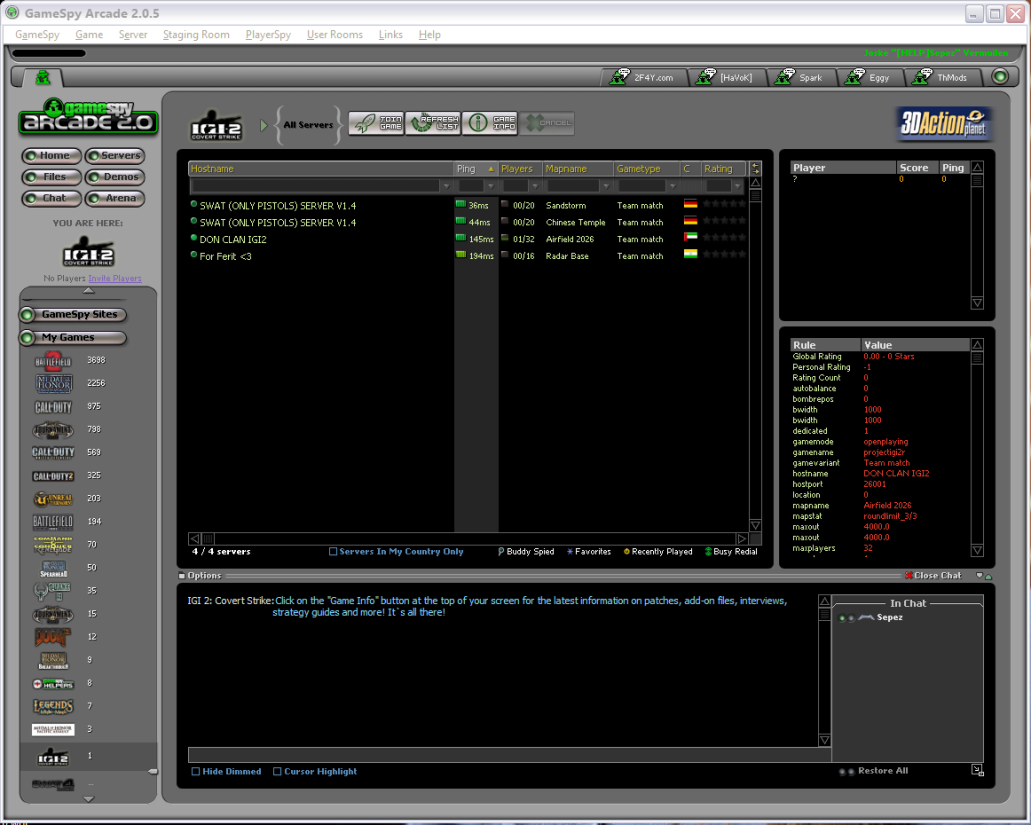
- Supported Games: Built for pure nostalgia, this client supports classic titles including IGI-2, Battlefield 1942, Battlefield 2, MOHAA (and expansions), and Vietcong.
- Matchmaking: Peer-to-Peer matchmaking functions across all supported games (Port forwarding is required on your router).
- Legacy Titles: Call of Duty 1, 2 & United Offensive can be manually revived through the client.
Project reverse-engineered and restored by [HELP]er Sepez.
For technical assistance and troubleshooting, reach out to Sepez directly in the Bitmasters Discord.
For technical assistance and troubleshooting, reach out to Sepez directly in the Bitmasters Discord.